 Flash sale
Start from what they can do
Children begin at the right level and move up gently. Nobody is pushed to leap ahead.
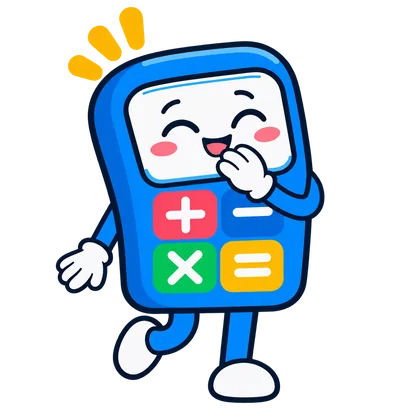
Not because they are pushed, but because learning feels like play. That is what we try to bring with MathBino and Bino, the blue calculator.


Children begin at the right level and move up gently. Nobody is pushed to leap ahead.
Picture questions and everyday stories make maths ideas easier for young children to grasp.
K1 8 questions, K2 10, P1 12, P2 and P3 15 a round. Short, not tiring, and it feels like a game.
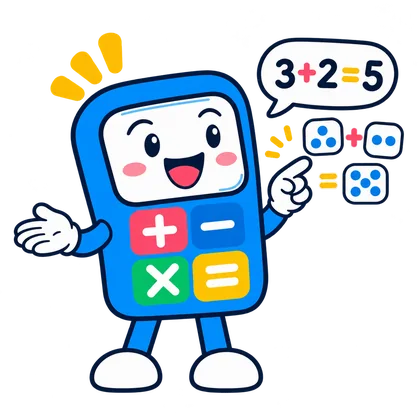
Bino is a blue calculator who is always cheerful. He keeps your child company while learning, encourages them when an answer is not quite right, and gives an expression sticker after every round.


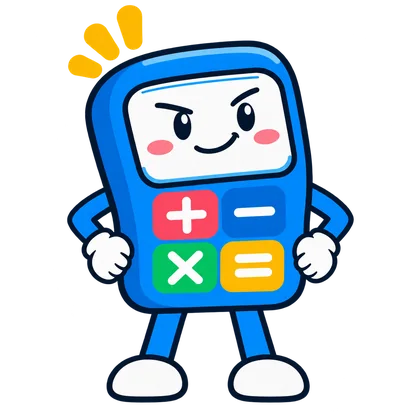

NUMfrom number BINOthe little blue calculator friend a friend for learning numbers
NUM comes from number. BINO is the name of our little friend, the blue calculator who keeps your child company while they learn. The name is just two short syllables, so children aged 4 to 12 can say it easily, it sounds friendly like a friend’s name, and it is easy to remember.
So NUM + BINO = a friend for learning numbers. We want numbers to be friends, not enemies. If your little one can say "Bino" before they can say "fraction", we are already very happy.
Nothing scary on screen. Mistakes are part of learning.
Reports show things as they are: what is going well and what to practise.
Children need no account of their own, and parents stay in control of profiles.
A question that does not feel right? Tell us on WhatsApp, we love hearing it.
Everything inside the app, grouped so it is easy to scan. Numbers come from what the app really contains.
29,519 questions in the International program for K1 to P6, easy to hard, 8 to 15 questions a round.
Children aged about 4 to 12. International uses English questions and hints, Nusantara uses Indonesian, each in one language only so children are not confused.
148 picture lessons of three cards each, with visuals such as base-ten blocks and number lines. A lesson can be skipped.
Children can ask Bino for a hint at any time. If the answer is not right, they get one more try and then a short explanation.
A daily mission of about 10 questions picked by Bino: new skills, a few reviews and one challenge. The map shows five levels of mastery for every skill.
69 worlds and 543 stages with bosses, stars and trophies in the International program. Every question sits on a fixed path, so you know what your child has tried.
Science, geography, social studies, health, language, logic and history: 42 topics and 2,713 questions for K1 to P3, plus a surprise mix round.
13 games with three levels (Easy, Medium, Hard) tied to age, and the suggested age is shown on every game.
Each session lasts at most 10 minutes and the total is 30 minutes a day per child. Then Bino suggests a break.
155 stickers in 17 sets, from Bino to animals and space. A finished round can win a new sticker; children celebrate progress, never red marks.
125 pictures in 7 sets. Tap to fill with colour or draw with the brush; your work is saved on the device and pages can be printed.
5 illustrated folk tales children can read, and they can be read aloud when the device supports speech.
226 recipes from baby food to grade-6 chef: nutrition estimates, cost in Rupiah, a shopping list, a read-aloud cook mode and kitchen maths.
Pick the ingredients you have and see which recipes you can cook. The meal planner builds a daily menu with a simple plate check.
600 play ideas from things at home for ages 0 to 12, filterable by age and group.
599 worksheets in Indonesian and English for ages 0 to 12.
30 ready-to-use scripts for hard moments such as tantrums, not wanting to study and fear of mistakes, shown as chat bubbles.
6 learning-approach guides, 2 bonus guides, a 64-term glossary and a parent readiness check.
Development checklists and daily schedule templates for 6 learning approaches, by age range.
A weekly plan with a recipe, an activity and a talking tip for each day, plus a family journal.
Three badge levels for every kitchen skill and a medal for each grade.
Questions answered, accuracy, stars, study streak, recent game scores and game minutes for the last 7 days, for each child.
A summary of learning, bonus subjects and family time for the last 7 days that you can read, copy, share or email.
Parents choose a daily limit of 10, 15, 20 or 30 minutes for each child, or none.
Each child has their own level, progress and stickers. Children need no account: you sign in with Google and your child just picks their profile.
MathBino complements school and classes and does not replace them. 10 to 20 minutes a day is enough.
No ads inside the children’s app. One question per screen, not an endless scroll.
One payment for a 12-month membership, no monthly bills. Try it free first, no account needed.
Opens in the browser on a phone, tablet or laptop. It can be added to the home screen, and the child’s level is stored so it works when the signal is weak.
The app’s text is available in Indonesian and English.
Report a problem and Send a request buttons are available right inside the app.
Try it free first, no account needed. If it fits, pay once for a year.
Special price Rp98,000 (normally Rp295,000) per year
Write here and we continue on WhatsApp.
 Learning maths


 Play and create


 Family hub


 For parents


 Practical and honest


